
 admin
admin
Choosing the right accounting software is a crucial decision for Singapore small and medium businesses (SMEs). Two of the most popular options are Xero and QuickBooks Online.
Both offer cloud-based accounting, invoicing, bank reconciliation, and GST support — but they serve different types of businesses better.
In this in-depth comparison, we break down pricing, features, GST support, ease of use, integrations, and ideal use cases, so you can confidently decide which accounting software fits your business best.
Disclosure: This post contains affiliate links. We may earn a commission at no extra cost to you.
Short on time?
- 👉 Try Xero (free trial) – best for growing SMEs
- 👉 Try QuickBooks Online (free trial) – best for freelancers & small teams
🔍 Quick Comparison Overview
| Feature | Xero | QuickBooks Online |
|---|---|---|
| Best For | Growing SMEs | Freelancers & service SMEs |
| Pricing (SG) | Higher | More affordable |
| GST Support | ✔ Yes | ✔ Yes |
| Bank Feeds | ✔ Excellent | ✔ Good |
| Integrations | 1,000+ | 750+ |
| Ease of Use | Medium | Easy |
| Local Accountants | Very strong | Strong |
🧾 Xero Overview
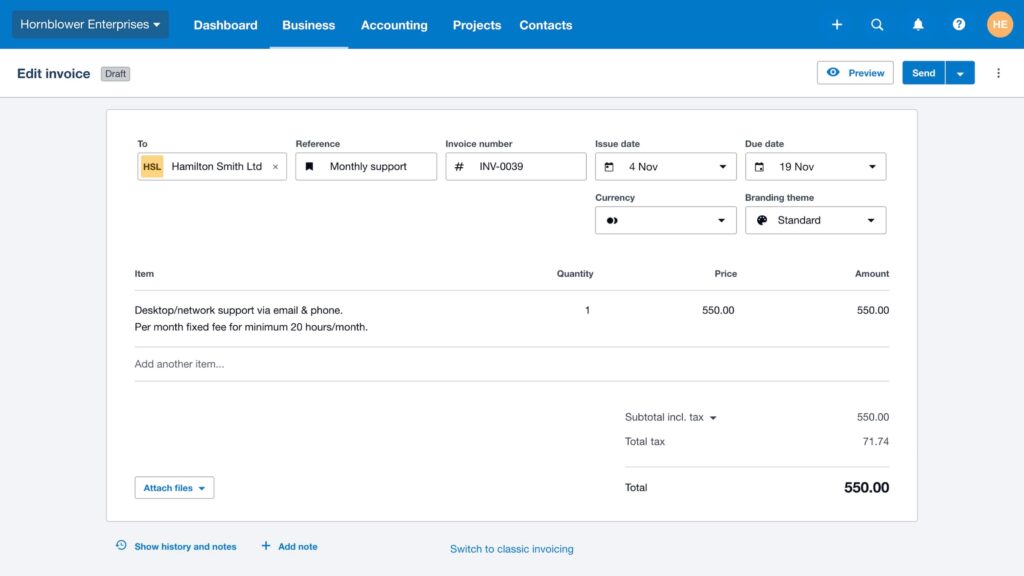
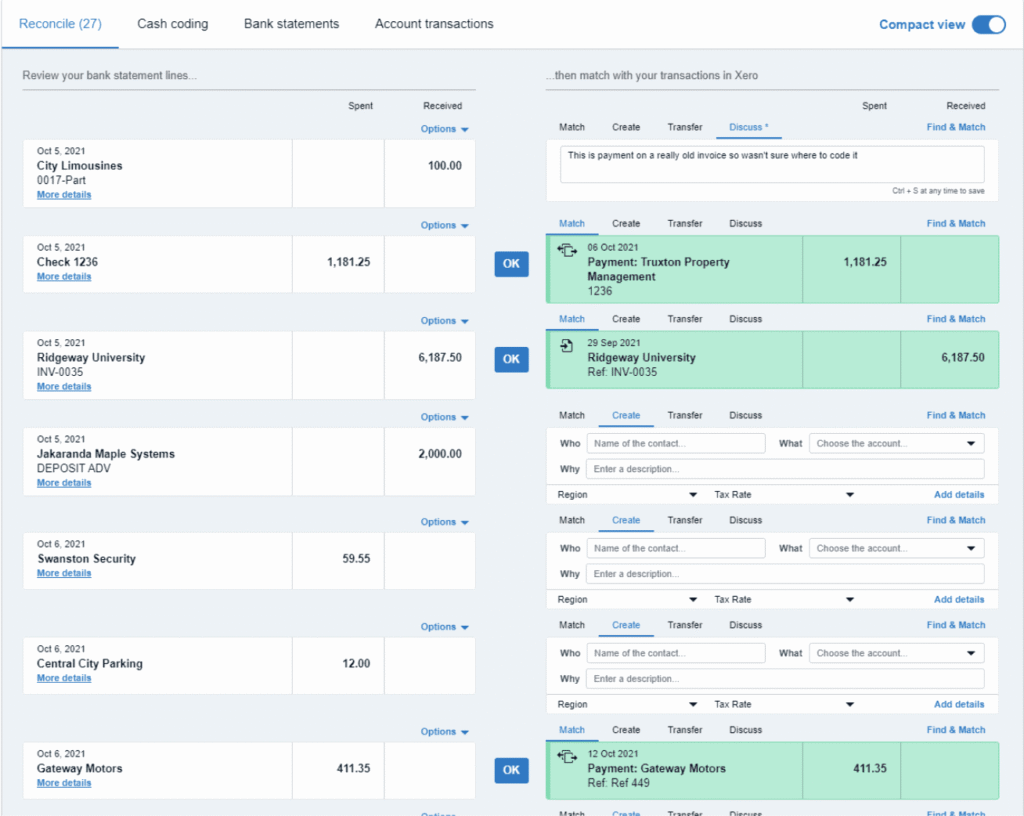
Xero is widely used by Singapore accounting firms and SMEs that require advanced reporting, automation, and scalability.
Key Strengths
- Real-time financial dashboard
- Excellent bank reconciliation
- Strong GST tracking & reporting
- Massive app marketplace (1,000+ integrations)
- Trusted by local accountants and bookkeepers
Limitations
- Higher monthly pricing
- Slight learning curve for non-accountants
Best for:
- ➡ Growing SMEs
- ➡ Companies working closely with accountants
- ➡ Businesses needing deep reporting and automation
📘 QuickBooks Online Overview
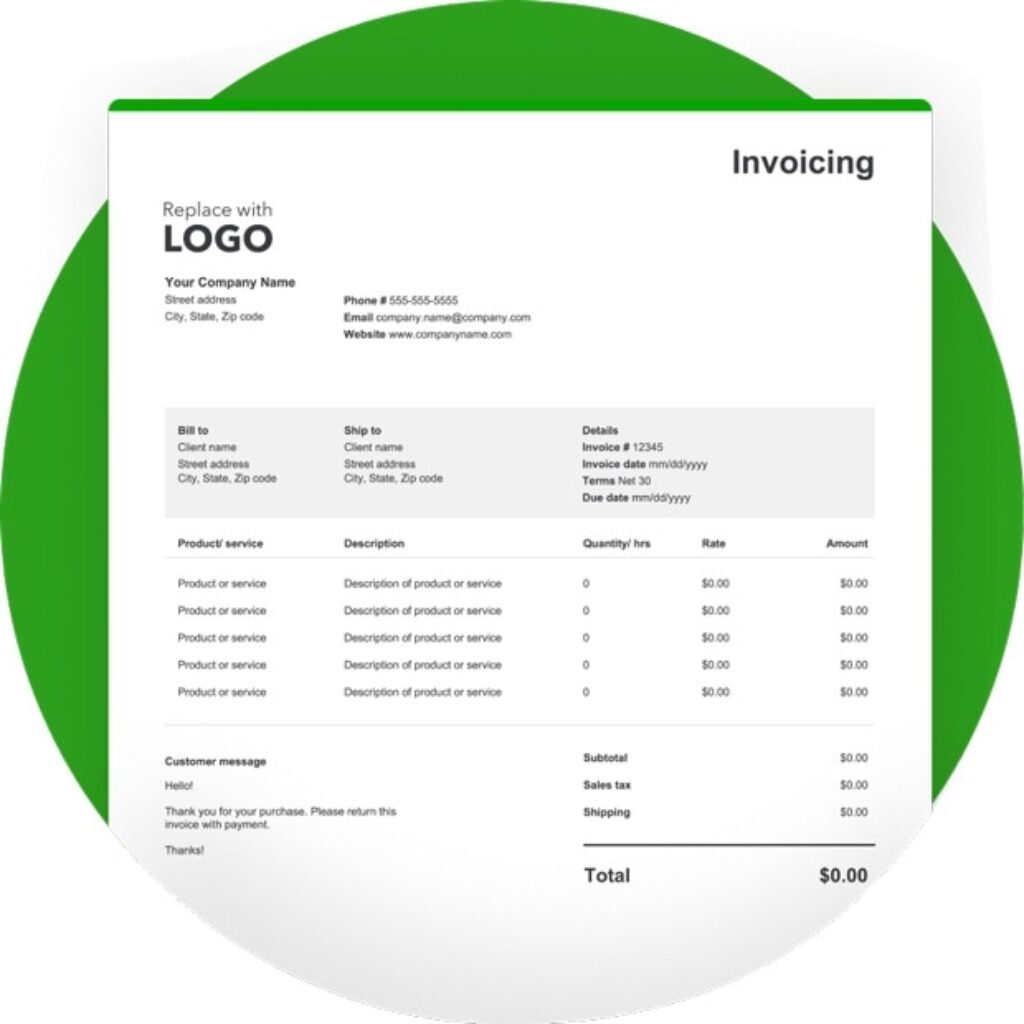
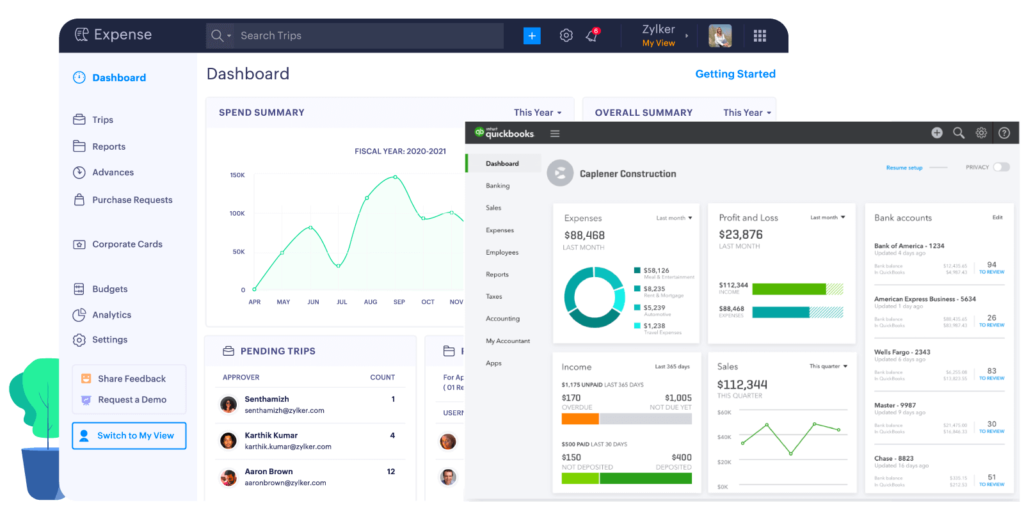
QuickBooks Online focuses on simplicity and affordability, making it popular with freelancers and service-based businesses.
Key Strengths
- Easy to use for beginners
- Affordable plans
- Good GST support for Singapore
- Strong invoicing and expense tracking
- Faster onboarding
Limitations
- Fewer advanced reports
- Slightly fewer integrations than Xero
Best for:
- ➡ Freelancers
- ➡ Small service businesses
- ➡ First-time accounting software users
💰 Pricing Comparison (Singapore – 2025)
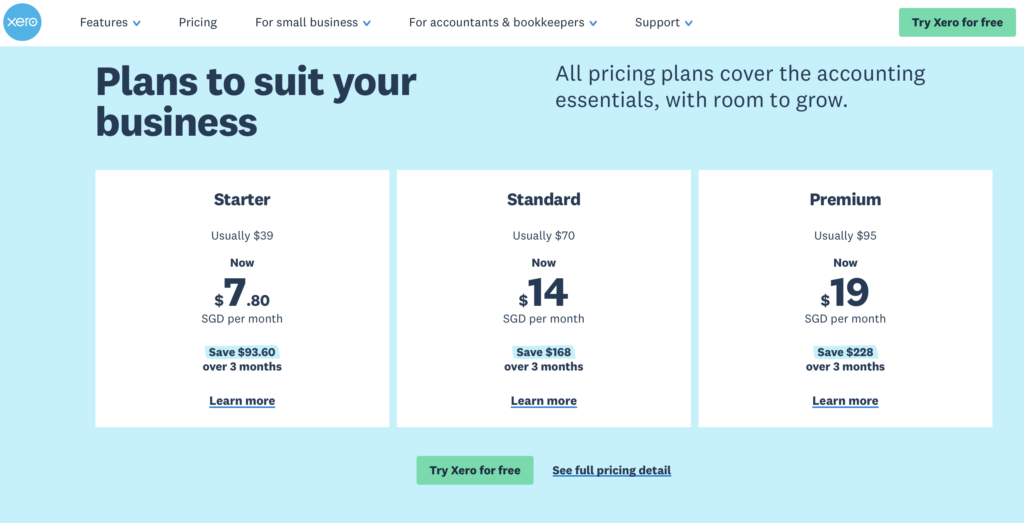
❯ Click the right arrow to view QuickBooks Online pricing
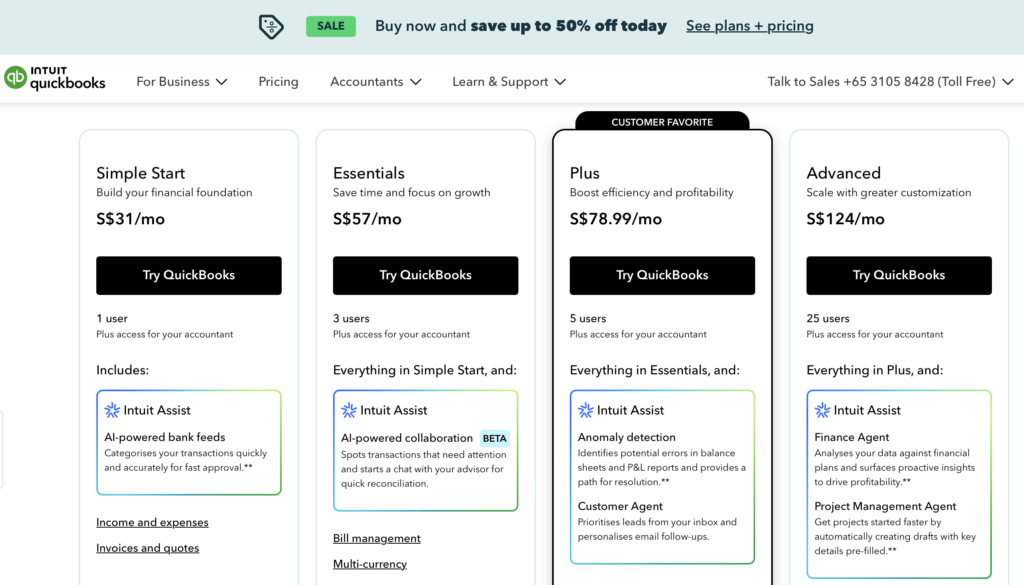
Note: Both Xero and QuickBooks Online regularly offer free trials and limited-time promotions. Pricing and discounts may vary — always check the official site for the latest offers.
Xero Pricing (SG)
- Starter: Higher entry cost
- Standard & Premium plans for growing teams
- Pricing increases as features scale
QuickBooks Online Pricing (SG)
- Lower starting price
- Budget-friendly for small teams
- Better value for solo operators
👉 Verdict:
If budget is tight → QuickBooks Online
If long-term scalability matters → Xero
🇸🇬 GST & IRAS Compliance
Both platforms support:
- GST tracking
- GST reports
- IRAS-ready exports
Xero is more commonly used by Singapore accounting firms, making it easier when working with professional accountants.
QuickBooks Online is sufficient for most SMEs with straightforward GST needs.
🔌 Integrations & Ecosystem
| Category | Xero | QuickBooks |
|---|---|---|
| E-commerce | Shopify, WooCommerce | Shopify, WooCommerce |
| POS | Square, Lightspeed | Square |
| Payroll | Gusto, local payroll tools | Gusto |
| CRM | HubSpot, Zoho | HubSpot |
Xero
- Integrates with POS, CRM, HR, payroll, inventory, e-commerce tools
- Strong ecosystem with Shopify, Stripe, PayPal, HubSpot, and more
QuickBooks Online
- Integrates well with payment gateways, CRM tools, and payroll systems
- Slightly smaller ecosystem compared to Xero
Verdict:
Xero wins if integrations are a major priority.
Customer Support & Learning Resources
Xero
- Email support
- Large help centre
- Strong global community
QuickBooks Online
- Chat and email support
- Extensive tutorials
- Easier self-help resources
Verdict:
QuickBooks Online is slightly more beginner-friendly when it comes to support.
⚖️ Ease of Use
- QuickBooks Online:Easier for beginners, clean interface, faster setup
- Xero:More powerful, but requires learning time
👉 Non-accountants prefer QuickBooks
👉 Accountants prefer Xero
🏆 Verdict: Which Should You Choose?
✅ Choose Xero if:
- You deal with multiple currencies
- You are a growing SME
- You work with accountants/bookkeepers
- You need advanced reporting and automation
- You plan to scale
✅ Choose QuickBooks Online if:
- You’re a freelancer, startup, or service-based SME
- You want lower monthly costs
- You prefer simplicity over advanced features
- You want faster setup and learning
Final Verdict: Xero vs QuickBooks Online
There is no single “best” accounting software for every business.
- Xero is ideal for growing SMEs that need flexibility, integrations, and powerful reporting.
- QuickBooks Online is ideal for small teams and service businesses that want affordability and ease of use.
The best choice depends on your business size, complexity, and future plans.
Ready to Try Them?
- Try Xero (Free Trial) – best for advanced reporting and scalability
- Try QuickBooks Online (Free Trial) – affordable and beginner-friendly
(Both platforms typically offer free trials, so you can test them before committing.)
Disclosure: This page contains affiliate links. We may earn a commission at no extra cost to you.
Frequently Asked Questions (FAQs)
2. Which is cheaper in Singapore?
QuickBooks Online is generally cheaper than Xero.
3. Which is better for Singapore GST filing?
Both support GST, but QuickBooks Online is often easier for local SMEs.
4. Can I switch from QuickBooks to Xero later?
Yes. Both platforms support data migration with some setup.




[…] 👉 Xero vs QuickBooks Online: Which Is Better for Singapore SMEs in 2025? […]