 admin
admin
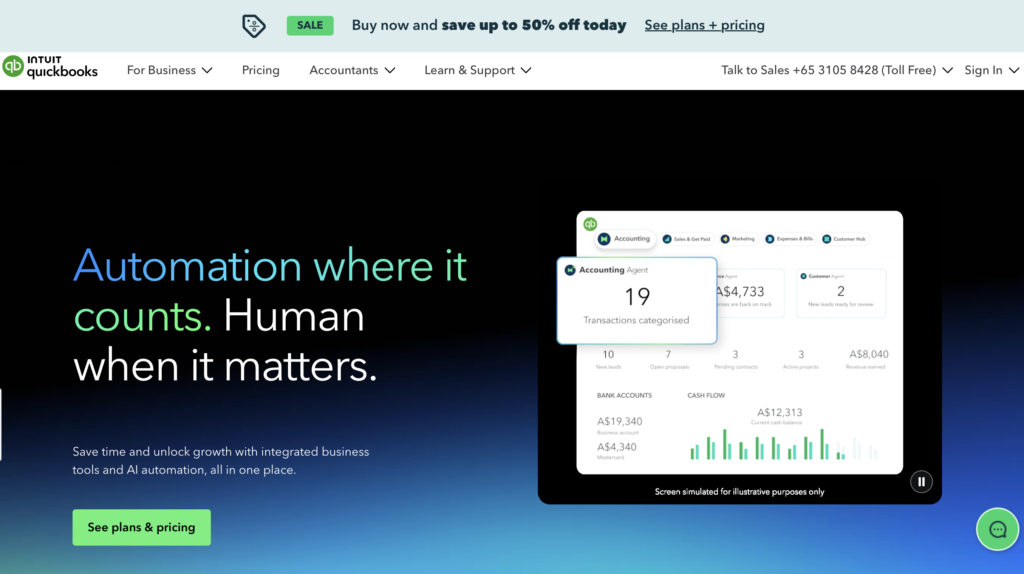
QuickBooks Online (QBO) is a cloud-based accounting platform used by small businesses worldwide. In Singapore, it’s commonly shortlisted by SMEs looking to replace spreadsheets with a more automated, professional accounting system.
In this in-depth review, we break down features, pricing, pros & cons, and how it compares to local alternatives.
👉 Short on time?
[Check if QuickBooks Online is right for your business]
Disclosure: This post contains affiliate links. We may earn a commission at no extra cost to you.
What Is QuickBooks Online?
QuickBooks Online is a cloud-based accounting software developed by Intuit. It is designed for small and medium-sized businesses to manage:
- Invoicing and payments
- Expense tracking
- Bank reconciliation
- Financial reporting
- Payroll (via integrations)
Unlike desktop accounting software, QuickBooks Online is accessible anytime, anywhere, making it popular among startups and growing SMEs.
👉 Want to see how QuickBooks works in practice?
Key Features of QuickBooks Online
1. Invoicing & Payments
- Customisable invoices with logo and branding
- Automated recurring invoices
- Online payments via integrations (Stripe, PayPal, etc.)
- Multi-currency invoicing (available on higher plans)
💡 Perfect for service-based SMEs that invoice monthly or across borders.
2. Expense & Bank Tracking
- Automatic bank feeds from major Singapore banks
- Smart expense categorisation
- Receipt capture via mobile app
- Real-time cash flow visibility
3. GST Support (Singapore)
- GST tracking available (manual setup required)
- GST summary and detailed reports
- Supports standard-rated and zero-rated supplies
4. Reporting & Insights
- Profit & Loss
- Balance Sheet
- Cash Flow Statement
- Customisable management reports
Ideal for business owners who want clear financial insights without accounting complexity.
5. Integrations & Ecosystem
QuickBooks integrates with 750+ apps, including:
- Inventory tools
- CRM systems
- E-commerce platforms (Shopify, WooCommerce)
- Payroll providers (third-party for Singapore)
Pricing in Singapore
| Plan | Best For | Monthly Price* |
|---|---|---|
| Simple Start | Freelancers & solopreneurs | ~SGD 31 |
| Essentials | Small teams | ~SGD 57 |
| Plus | Growing SMEs | ~SGD 78.99 |
| Advanced | Larger SMEs | ~SGD 124 |
Prices may vary. Please refer to the official website for the latest pricing.
👉 Unsure which plan fits your business?
[Compare QuickBooks plans side-by-side →]
Pros & Cons for Singapore SMEs
✅ Pros
- User-friendly interface (great for non-accountants)
- Strong automation & bank sync
- Scales well as business grows
- Excellent reporting and dashboard
- Large global support community
❌ Cons
- Not natively designed for Singapore regulations
- No built-in CPF or local payroll
- GST setup requires manual configuration
- Customer support is mostly global, not local
- Costs increase as features/users scale
Is QuickBooks Online IRAS-Compliant?
QuickBooks Online can be used for IRAS submissions, but:
- It is not IRAS-listed
- GST reports may need manual adjustments
- Audit trail and report formatting should be reviewed by an accountant
For SMEs with a dedicated accountant, this is manageable. For DIY compliance-focused businesses, local software may be easier.
QuickBooks Online vs Local Alternatives (Singapore)
| Feature | QuickBooks Online | Xero | ABSS / MYOB |
|---|---|---|---|
| Ease of Use | ⭐⭐⭐⭐⭐ | ⭐⭐⭐⭐ | ⭐⭐⭐ |
| Cloud-Based | ✅ | ✅ | ❌ (mostly desktop) |
| GST Support | ⚠️ Manual | ✅ Strong | ✅ Strong |
| IRAS-Focused | ❌ | ⚠️ Partial | ✅ Yes |
👉 Still deciding between QuickBooks and Xero?
[Read our QuickBooks vs Xero (Singapore) comparison →]
Who Should Use QuickBooks Online in Singapore?
QuickBooks Online is ideal if you are:
- A startup or SME with regional/international operations
- A service-based business (consulting, agencies, freelancers)
- Comfortable working with an external accountant
- Looking for automation and scalability over local compliance tools
You may want an alternative if you are:
- A GST-registered business with complex filings
- A company that wants built-in CPF & payroll
- A traditional SME prioritising IRAS-listed software
Final Verdict: Is QuickBooks Online Worth It for Singapore SMEs?
Yes — but with caveats.
QuickBooks Online is a powerful, modern accounting platform that works well for many Singapore SMEs, especially those with growth ambitions or international exposure. However, businesses focused heavily on local compliance and payroll may find better value in Singapore-specific solutions.
⭐ Overall Rating: 4.2 / 5
✔ Best for tech-savvy SMEs and startups
✖ Less ideal for compliance-first, traditional businesses
Ready to Decide?
👉 [Start a free trial of QuickBooks Online]
Frequently Asked Questions (FAQs)
2. Can QuickBooks Online handle GST in Singapore?
QuickBooks Online supports GST tracking and reporting, but it is not IRAS-listed. Businesses may need to manually configure GST settings and review reports with an accountant before submission to IRAS.
3. Is QuickBooks Online better than Xero for Singapore SMEs?
It depends on your business needs. QuickBooks Online is often preferred for ease of use and automation, while Xero is more accountant-friendly and has stronger local GST workflows. Many Singapore SMEs compare both before deciding.